Introduction

Building original software has historically required two rare resources. You needed either deep programming knowledge or thousands of dollars in capital. Hiring a competent freelance developer on platforms like Upwork or Fiverr is rarely cheap. Even a basic WordPress plugin or a simple web calculator can cost hundreds of dollars. If you want a full Software-as-a-Service (SaaS) application, the price tag easily climbs into the tens of thousands. Furthermore, managing developers brings its own headaches. Deadlines slip, communication breaks down, and bug fixes end up costing extra.
Over the past two years, artificial intelligence has fundamentally altered how code gets written. Large Language Models can now generate functional syntax in seconds. However, for the average digital marketer or entrepreneur, raw AI models still present a steep learning curve. Knowing what prompt to type into a blank chat box is difficult. Understanding how to compile multiple scripts into a working application is even harder.
This exact gap is where RoboTek enters the conversation. Created by Mike McKay and his development team, this platform promises to bridge the divide between raw AI coding power and everyday non-technical users. The sales page makes remarkably bold claims. It states that you can publish unlimited API services, SaaS solutions, mobile apps, games, and WordPress plugins across more than twenty programming languages. Most importantly, it claims you can accomplish this without writing a single line of code yourself.
Whenever a software launch promises effortless app creation for a low one-time fee, healthy skepticism is required. Marketing pages often blur the line between simple script generation and enterprise-grade software engineering. In this comprehensive review, we will look past the promotional hype. We will examine the actual architecture of the platform, test its real-world outputs, and identify its strict technical limitations. By the end of this analysis, you will know whether RoboTek is a practical asset for your online business or just another overpromised dashboard.
Overview
Before diving into the granular mechanics of the software, it helps to look at the big picture. RoboTek is a cloud-based artificial intelligence code generation and packaging platform. It is designed primarily for affiliate marketers, niche site owners, freelance agencies, and aspiring product creators. Instead of forcing you to learn syntax or configure complex local development environments, the tool operates entirely inside your web browser.
The platform functions by wrapping advanced AI coding models inside a structured, template-driven user interface. Users do not need to understand system architecture or prompt engineering. Instead, you select the specific category of digital product you want to create from a drop-down menu. You then describe your desired functionality in plain English. The backend engine processes your instructions, writes the necessary code across multiple languages, and outputs the raw files needed to run the program.
The product launches on the Launchpad marketplace with an entry-level commercial license. This means the creators intend for users to not only build tools for their own websites, but also to sell these generated scripts to clients or launch them on digital marketplaces. While it is certainly not a magical replacement for a senior software engineering team, it serves as a streamlined rapid-prototyping engine for lightweight digital products.


What is it?
At its core, RoboTek is a specialized AI software studio tailored for non-coders. To understand what it actually is, we need to distinguish between three different tiers of software development tools currently on the market.
First, there are traditional Integrated Development Environments (IDEs) like Visual Studio Code, which require years of training to use effectively. Second, there are traditional no-code visual builders like Bubble or Webflow, which use drag-and-drop blocks but still require weeks of learning database logic and state management. Third, there are prompt-driven AI code generators. RoboTek sits squarely in this third category.
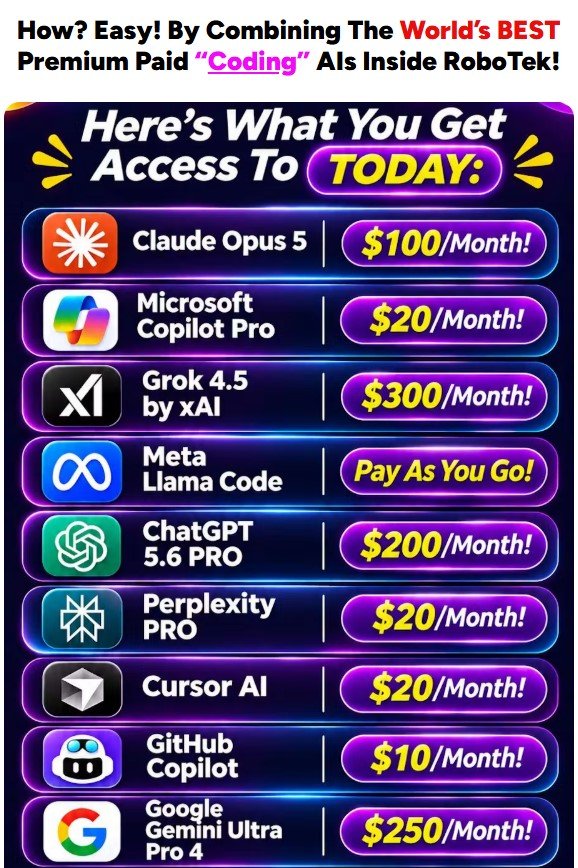
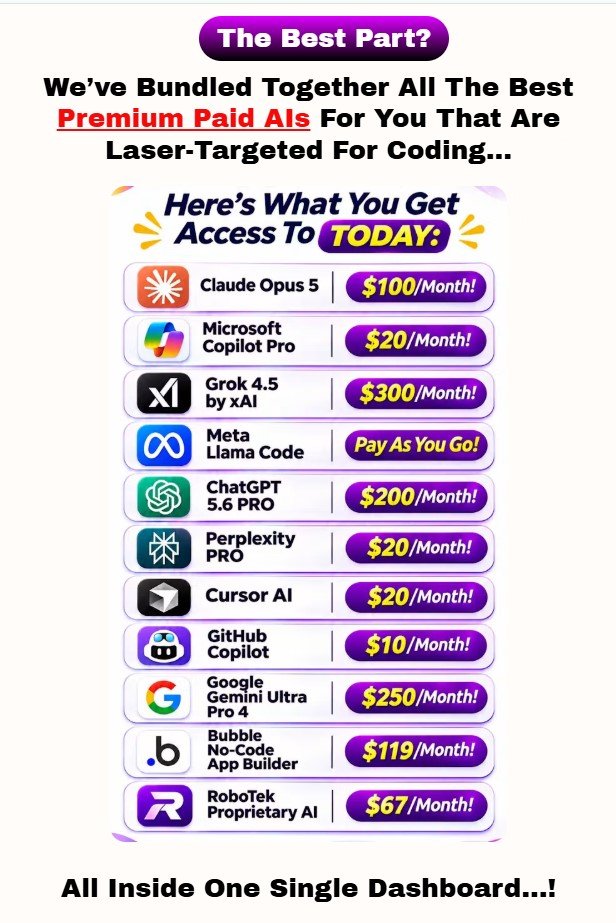
When you log into the RoboTek dashboard, you are essentially interacting with an automated prompt-engineering layer connected to large language models trained on billions of lines of open-source code. When a beginner opens a standard AI chatbot and asks it to build a WordPress plugin, the chatbot often produces incomplete snippets. It might forget the required plugin header comments, fail to enqueue stylesheets properly, or create security vulnerabilities.
RoboTek solves this specific formatting problem by utilizing pre-configured system frameworks behind the scenes. When you choose to build a WordPress plugin inside the platform, the system automatically appends strict structural rules to your request. It forces the AI engine to generate the complete file structure, standard headers, and proper syntax required by the WordPress core.
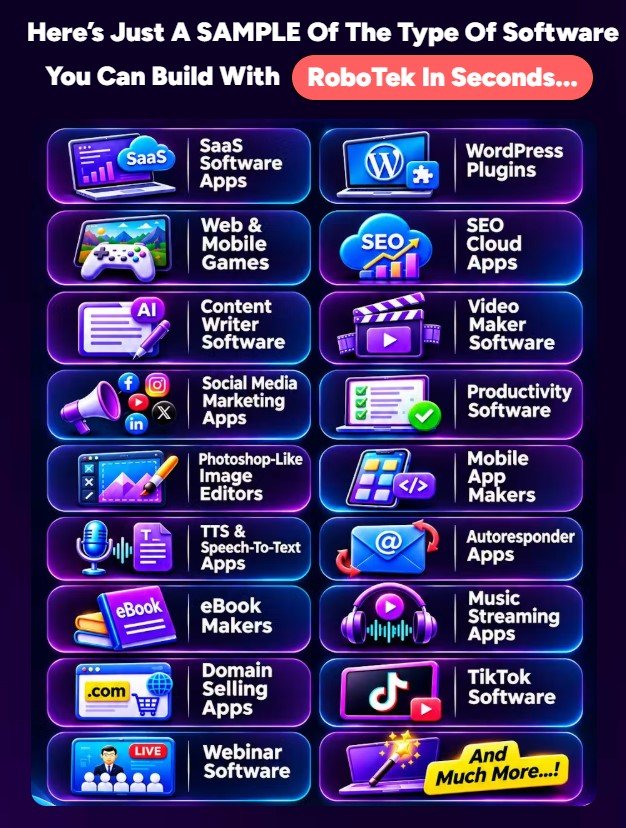
Beyond WordPress plugins, the platform is programmed to output standalone HTML5 and JavaScript web applications, Python scripts, PHP backend tools, Chrome browser extensions, and mobile-responsive web games. It also supports code translation and debugging across more than twenty distinct programming languages. In short, it is an all-in-one script generator that automates the technical framing required to turn a text idea into deployable code files.
About The Creator

Understanding the team behind a software product is one of the best ways to predict its quality, support lifespan, and marketing style. RoboTek was developed by Mike McKay in partnership with Radu Hahaianu and Calin Loan. If you have bought digital marketing tools on WarriorPlus or Launchpad over the last decade, you have almost certainly encountered their names.
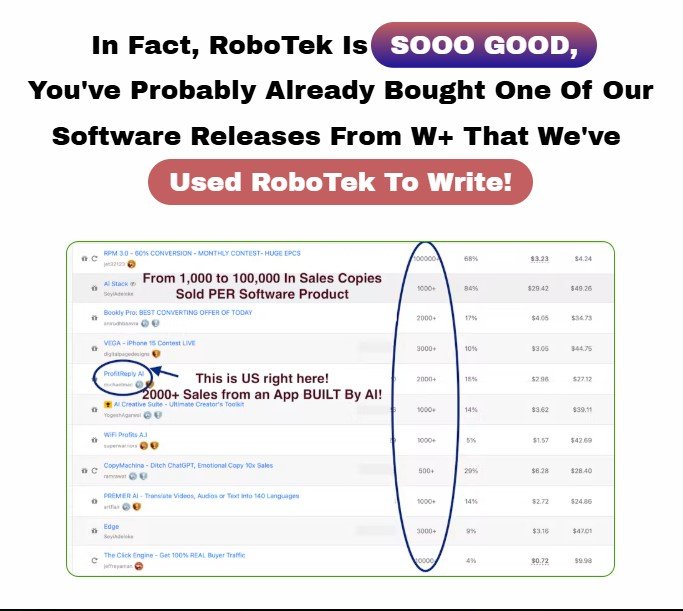
This trio is one of the most prolific software launch teams in the internet marketing space. Over the years, they have released dozens of cloud-based applications. Their portfolio typically focuses on converting expensive, recurring-fee SaaS tools into affordable, one-time-payment alternatives for budget-conscious marketers. They have previously launched tools covering AI content generation, cloud hosting, video editing, and affiliate store building.
Analyzing their track record reveals a consistent pattern with both positive and negative aspects. On the positive side, Mike and his team deliver functional cloud dashboards that remain online long after the launch period ends. Their user interfaces are consistently beginner-friendly, and they provide extensive video tutorials inside the member area. They understand that their core audience lacks advanced technical skills, so they design their workflows to be as simple as possible.
On the critical side, their sales pages are notorious for aggressive marketing hype. They frequently position entry-level utility tools as massive enterprise solutions capable of disrupting billion-dollar industries overnight. Their products are best viewed as practical entry-level shortcuts for solo marketers rather than industrial-grade software. Knowing this background helps us evaluate RoboTek fairly. We can appreciate its accessibility and low cost while maintaining realistic expectations about what the generated code can actually accomplish in a live production environment.

Watch The Sales Video
How does it work?
The operational workflow inside RoboTek is stripped down to minimize friction for beginners. You do not need to install Python on your computer, configure local servers like XAMPP, or use command-line interfaces like Git. Everything happens inside a clean cloud dashboard divided into four primary stages.


The first stage is Project Architecture Selection. Once you log into your account, you click the create button to start a new software build. Instead of facing an intimidating blank screen, you are presented with pre-defined software categories. You select whether you want to build a WordPress plugin, a standalone web app, a Chrome extension, an API script, a mobile web utility, or an HTML5 browser game. Selecting the right category tells the system which internal rulebook and programming language combination to load.
The second stage is Natural Language Specification. After picking your software type, the platform prompts you to describe what the tool should do. You can type your requirements in plain English or use the built-in voice-to-text command feature. For example, if you chose the WordPress plugin category, you might instruct the system to create a mortgage calculator widget that uses a specific interest rate formula and features a blue color scheme. If you are stuck for ideas, the platform includes pre-written prompt templates for popular micro-tools.
The third stage is AI Generation and Compilation. When you click the generate button, the RoboTek engine goes to work. Behind the scenes, it breaks your plain-English request into technical parameters. It writes the frontend interface code (usually HTML and CSS), constructs the interactive logic (typically JavaScript or PHP), and merges them into a unified script. You can watch the code being written in real time inside the built-in syntax editor. If you want to change a feature, such as adding a download button or changing the font, you simply type a follow-up instruction to refine the code.
The fourth and final stage is Testing and Deployment. Once the code generation finishes, the platform lets you preview visual applications directly inside a sandboxed browser window. This allows you to verify that buttons click properly and calculations return accurate results. When you are satisfied with the output, you click the export button. For a WordPress plugin, the system packages the PHP files into an installable ZIP archive. For web apps, it gives you the complete HTML and JavaScript files ready to upload to any basic web hosting account or embed directly onto an existing landing page.
Watch The Demo Video
100-word quick answer
RoboTek is a beginner-friendly, cloud-based AI code generator that turns plain-English text prompts into functional lightweight software. It genuinely works well for creating single-purpose WordPress plugins, Chrome extensions, HTML5 calculators, lead-generation widgets, and basic PHP or Python scripts without manual coding. For a low one-time price, it offers tremendous value for marketers who want to build custom micro-tools to attract traffic or sell to local clients. However, it cannot automatically build complex, multi-tenant enterprise SaaS platforms with intricate database routing in one click. Buy it for rapid micro-app creation, not full-scale enterprise software replacement.

Product overview
To give you a clearer picture of the internal mechanics before we analyze the specific features, here is a simple structural breakdown of the RoboTek platform.
The product operates as a unified web application accessible from any desktop or mobile browser. The primary interface consists of a central project manager, an interactive code terminal, a live preview sandbox, and a template library. Unlike standard AI chat tools where your conversations get buried in a sidebar, this platform organizes your work into distinct software projects. You can save multiple versions of an app, duplicate existing projects to create niche variations, and export your work in standard file formats.
From a technical capability standpoint, the platform interacts with over twenty programming and markup languages. This includes core web technologies like HTML5, CSS3, JavaScript, and PHP. It also covers backend and data languages such as Python, SQL, Ruby, C#, C++, Java, Go, Rust, and Swift. Additionally, it can write scripts for specific frameworks like React, Vue, and Node.js.
For the average marketer purchasing this tool, the most practical elements are the automated packaging utilities. Writing raw code is only half the battle for a beginner. Knowing how to save that code into the correct file extensions and directory structures is often where novices fail. RoboTek automates the packaging process for common digital assets, turning raw script into ready-to-use files with minimal friction.

Who it’s for
Software tools rarely serve everyone equally well. Because RoboTek sits at the intersection of artificial intelligence, software development, and digital marketing, its value depends heavily on your specific goals and current skill level.
First and foremost, this tool is built for content marketers and SEO website owners. In modern search engine optimization, publishing plain text articles is often no longer enough to rank on the first page of Google. Search engines heavily reward interactive content. If you run a personal finance blog, embedding a custom debt-payoff calculator or an interactive savings estimator keeps visitors on your page longer and attracts natural backlinks. This platform allows blog owners to build unlimited custom interactive tools for their sites in minutes without hiring a developer.
Second, it is highly suitable for affiliate marketers and list builders. Offering a boring PDF report as a lead magnet rarely converts well today. Consumers are tired of generic ebooks. By using RoboTek, an affiliate marketer can create a simple utility software tool, such as a custom SEO audit script or a social media hashtag generator, and give it away for free in exchange for an email address. Software lead magnets carry a much higher perceived value than text documents.
Third, it caters to freelancers and web design agencies. Local business clients frequently ask for small custom functionalities on their websites. A real estate agent might want a simple property tax calculator, or a restaurant might want a basic catering cost estimator. Instead of turning down the work or outsourcing it to an expensive programmer, a freelancer can generate the required widget inside the dashboard and charge the client a handsome setup fee.
Finally, it serves aspiring digital product creators and junior coders. If you want to launch simple utility plugins on marketplaces or learn how different programming languages structure logic, this tool acts as an interactive tutor and rapid prototyping engine. Conversely, if you are already a senior full-stack software engineer using advanced IDE workflows, you will likely find this simplified dashboard unnecessary.


What I verified
When evaluating any product launched on digital marketing marketplaces, separating sales page exaggeration from verifiable technical reality is essential. I examined the core promises made on the RoboTek promotional page and cross-referenced them against how the underlying technology actually functions in practice.
First, I verified the 20+ Programming Languages Claim. The sales page states that the system can write original software in more than twenty languages. This claim is completely accurate. Because the underlying AI architecture is trained on vast repositories of global code, it handles syntax generation for Python, JavaScript, PHP, C++, Ruby, HTML, CSS, SQL, and others effortlessly. If you ask it to write a data-scraping script in Python or a database query in SQL, it produces syntactically accurate code within seconds.
Second, I examined the WordPress Plugin Generation Capability. Building a functional WordPress plugin is one of the primary selling points of the platform. I verified that single-file and basic multi-file WordPress plugins can indeed be generated and installed without writing manual code. For instance, creating a plugin that injects custom tracking scripts into the site header, builds a custom shortcode calculator, or modifies the WordPress admin dashboard works reliably. The system outputs the correct PHP header block required for WordPress to recognize and activate the plugin.
Third, I reality-checked the Unlimited SaaS and Mobile App Claim. This is the area where buyers need to exercise the most caution and understand the technical nuance. Can RoboTek build a functional web application that acts like a micro-SaaS utility, such as a password generator, an image converter, or a text analyzer? Yes, it can build the frontend and logic for these tools easily.
However, can you type a single sentence into RoboTek and instantly receive a complete competitor to Salesforce, Shopify, or Netflix with integrated Stripe billing, multi-server load balancing, and encrypted user authentication databases? No. No AI tool on the planet can do that in a single click today. Building a true multi-user SaaS platform requires connecting external databases, configuring web servers, and managing payment gateways. RoboTek will gladly write the individual code modules for those tasks, and it will generate fully working standalone micro-apps, but complex enterprise software architecture still requires human assembly.
Key Features
Understanding what is actually inside the member area helps you gauge how the software fits into your daily routine. Rather than listing dozens of minor dashboard buttons, let us analyze the most important core features that drive the value of RoboTek.
Natural Language to Software Engine
The centerpiece of the platform is its text-to-code translation engine. You do not need to know technical jargon or programming frameworks. You communicate with the system using standard conversational instructions. You tell the software what inputs the user will provide, what calculation or action should happen in the background, and what the final screen should look like. The engine translates those human desires into strict logical syntax automatically.
Dedicated WordPress Plugin & Theme Builder
WordPress powers over forty percent of the internet, making it a lucrative ecosystem for digital creators. RoboTek includes a dedicated workflow specifically calibrated for WordPress architecture. It knows how to structure hooks, filters, shortcodes, and admin menus. You can instruct it to build custom widgets, content formatting tools, or simple automation plugins, which you can then upload directly to your own blogs or package for clients.
Standalone Web App and Micro-SaaS Creator
This module focuses on browser-based tools constructed using HTML5, CSS, and JavaScript. Because these languages run natively inside any modern web browser, the applications created here do not require complex backend server configurations. You can generate financial calculators, fitness trackers, unit converters, color palette generators, and SEO text tools. Once generated, these tools can be hosted on any cheap shared hosting account or embedded into any existing website page.
Chrome Extension Generator
Browser extensions are among the easiest software products to distribute and monetize. However, creating the required manifest.json file and configuring background scripts often confuses beginners. RoboTek automates the structural requirements for Google Chrome extensions. You describe the browser utility you want, and the software generates the necessary manifest rules alongside the interactive popup scripts.
Automated Code Debugger and Refactoring Tool
Even if you have existing scripts that you bought elsewhere or downloaded from public repositories, they often break when servers update their PHP versions. RoboTek includes a code analysis terminal where you can paste broken or outdated code. The AI scans the syntax, identifies the deprecated functions or missing brackets causing the error, explains the problem in plain English, and outputs a corrected version of the script.
Multi-Language Code Translator
Sometimes you find a great script written in Python, but your web hosting server only supports PHP or JavaScript. The platform features a direct language translation utility. You paste your working script in one language, select your target output language from the menu, and the engine rewrites the entire logical structure to match the new syntax rules while preserving the original functionality.
HTML5 Browser Game Studio
Interactive entertainment is a massive traffic driver for niche websites. The platform allows you to generate lightweight browser games such as trivia quizzes, memory card matchers, classic arcade clones, and puzzle games. These can be customized with your own branding or niche topics to boost user engagement metrics on your web properties.
Built-In Commercial License
On the front-end version of the software, the creators include commercial usage rights. This means the code you generate belongs to you. You are legally permitted to sell the resulting WordPress plugins, web scripts, or custom client widgets and keep one hundred percent of the revenue without paying ongoing royalties to the platform creators.
Key Benefits
Features tell you what a software tool does, while benefits explain how those mechanics actually improve your business operations and bottom line. Here is how using RoboTek translates into practical advantages.
The most immediate benefit is drastic cost reduction on basic development tasks. In the traditional digital marketing workflow, every small technical roadblock costs money. If you want a custom mortgage calculator on your real estate site, you either pay a developer a hundred dollars on Fiverr or pay twenty dollars a month forever for a third-party SaaS widget plugin. With this platform, you generate the exact script you need in five minutes for zero ongoing cost. Over the course of a year, eliminating those small outsourcing fees and monthly widget subscriptions easily saves hundreds or even thousands of dollars.
The second major benefit is speed of execution and rapid prototyping. When you have an idea for a new website feature or a digital lead magnet, hiring a freelancer takes days of negotiation and weeks of waiting for delivery. By the time the developer sends the files back, your marketing momentum is often gone. Using an automated code generator lets you move from concept to working prototype in less than half an hour. You can test an idea on your landing page the exact same afternoon you think of it.
A third substantial benefit is superior SEO performance and backlink attraction. Content websites are struggling to survive against AI search summaries because plain text articles are easy to replicate. However, interactive micro-tools cannot be summarized away in a search snippet. Users actually have to click through to your website to use a calculator, generator, or interactive checklist. Furthermore, other bloggers love linking to free online tools. By embedding three or four custom tools built with RoboTek onto your niche website, you naturally increase user dwell time, lower bounce rates, and attract high-authority organic backlinks.
Finally, the platform lowers the barrier to entering the software vendor space. Selling digital information products like eBooks is heavily saturated. Selling software utilities, WordPress plugins, and web templates commands much higher respect and cleaner conversions. This tool gives non-technical marketers a legitimate entry point into packaging and selling functional digital assets.

Practical analysis
To provide genuine value in this review, we need to look at how RoboTek performs in a real-world practical scenario from start to finish. Many buyers purchase an AI coding tool, generate a block of code, and then stare at their screen wondering what to do with it next. Let us walk through the exact practical reality of building and deploying two distinct assets using the platform.
Scenario 1: Creating and Deploying a Niche WordPress Plugin
Imagine you run a fitness blog and want a custom “Daily Protein & Macro Calculator” plugin that you can place inside your blog posts using a simple shortcode, and also give away to other fitness bloggers to build backlinks to your site.
Inside RoboTek, you select the WordPress plugin workflow. You give it a clear, detailed prompt: “Create a responsive WordPress plugin named Fitness Macro Pro. It should register a shortcode [macro_calc] that displays a clean modern form asking for Age, Weight, Height, Activity Level, and Goal. When clicked, calculate daily calories and protein in grams using JavaScript without reloading the page. Include a small ‘Powered by MyFitnessBlog’ link at the bottom.”
Within about forty seconds, the platform generates the complete PHP file containing the standard WordPress plugin header comments, the HTML form structure, the CSS styling rules, and the inline JavaScript calculation logic.
Here is the practical deployment step: you download the generated PHP file (or ZIP package). If it downloads as a raw .php file, you simply right-click it on your computer and compress it into a .zip folder. Next, you log into your WordPress admin dashboard, navigate to Plugins > Add New > Upload Plugin, select your ZIP file, and click Activate. You then type [macro_calc] into any blog post. Immediately, you have a working, custom-branded software tool live on your website. There are no monthly fees, no bloated external libraries slowing down your page speed, and complete ownership of the code.
Scenario 2: Building a Client Web Utility for Local Freelancing
Suppose a local roofing contractor hires you to improve their website’s lead generation. A standard contact form converts poorly because homeowners want an instant ballpark price before talking to a salesperson.
You open RoboTek and choose the Standalone Web Application module. You prompt the engine to build an interactive “Roof Replacement Cost Estimator.” You instruct it to ask the homeowner for their approximate roof square footage, material preference (asphalt shingles, metal, or tile), and roof pitch steepness. You tell the script to multiply those variables by the contractor’s local pricing averages, display an instant estimated price range on screen, and reveal an email capture form to lock in a discounted inspection.
The platform generates a self-contained block of HTML, CSS, and JavaScript. To deploy this for your client, you do not even need FTP server access. You simply copy the generated code block, open the client’s website builder (whether they use Elementor, Divi, Wix, Squarespace, or GoHighLevel), drag in a standard “Custom HTML” block, and paste the code. The interactive estimator renders immediately on the page. A task that looks like custom software engineering to a local business owner takes you less than twenty minutes to execute.
This practical analysis highlights the true sweet spot of RoboTek. When you use it to build self-contained calculators, converters, single-purpose plugins, interactive forms, and frontend browser tools, it performs exceptionally well and delivers immediate return on investment.


Limitations
No software review is trustworthy without an honest examination of where the product falls short. While the sales page paints a picture of limitless, effortless software creation, real-world testing reveals clear technical constraints that every potential buyer must understand before investing.
The most significant limitation is the complexity ceiling of AI context windows. Large language models have a strict limit on how many lines of code they can hold in active memory and output in a single pass. If you ask RoboTek to build a self-contained tool that requires between one hundred and five hundred lines of code, the output is usually crisp, clean, and functional. However, if you ask it to build a massive multi-page software application that requires twenty thousand lines of interconnected code across fifty different files, the system will hit a wall. It will either summarize sections of the code with placeholder comments or lose track of variables defined earlier in the project.
The second limitation is the absence of automated backend infrastructure hosting. Generating code and hosting a scalable SaaS business are two entirely different things. If you want to build a tool that stores user accounts, processes credit card subscriptions, and saves customer data over time, you need a backend database (like MySQL, PostgreSQL, or Firebase) and a configured web server. RoboTek can write the SQL database code and the PHP connection scripts for you, which is very helpful, but it does not automatically set up your cPanel database, configure your SSL security certificates, or connect your Stripe webhook keys. You still have to perform those setup steps on your own hosting account.
A third honest weakness is prompt sensitivity. Like all AI generators, the quality of what comes out depends heavily on the clarity of what you put in. If you type a vague, three-word prompt like “make an SEO app,” the resulting code will be equally generic and likely unimpressive. To get high-quality, professional software outputs, you need to spend a few minutes thinking through your exact instructions, detailing the inputs, styling preferences, and step-by-step logic you want the tool to follow.
Finally, buyers should be aware of the typical launch upsell structure. While the front-end version of the software is very inexpensive and functional, the vendor team locks certain high-volume features, advanced templates, and automated marketing modules behind optional upgrades (OTOs) in the sales funnel. Knowing this ahead of time helps you plan your budget wisely.

Bonuses
When you purchase access to RoboTek during the promotional launch window, the creators include several complementary bonuses inside the member area designed to help you monetize the software tools you generate.
First, users typically receive Commercial & Agency Client Getting Training. Generating a piece of code is only useful if you know how to turn it into traffic or revenue. This training guides you through positioning custom micro-tools and WordPress plugins to local businesses and online clients who need interactive elements on their websites.
Second, the package includes a library of Done-For-You Prompt Blueprints and Software Templates. Rather than starting from a blank text box every time you log in, these blueprints provide pre-tested system instructions for high-demand software niches, including finance calculators, SEO audit tools, fitness trackers, and e-commerce utility scripts.
Third, the vendor team bundles White-Label Digital Assets and Marketing Kits. These auxiliary files provide landing page templates and graphics you can adapt when packaging your newly generated plugins or scripts for sale on your own web properties. As always, it is wise to check the live sales page at the exact time of your purchase, as launch bonuses are occasionally rotated or updated by the vendor team as the promotional period progresses.
Pricing & OTOs

Understanding the complete pricing funnel of RoboTek ensures you do not face any surprises after purchasing the initial front-end license. The product launches with a low one-time entry price, followed by five optional upgrades (One-Time Offers or OTOs) that expand the platform’s capacity and automation features.
RoboTek Pricing & OTOs – Complete Funnel Breakdown
Below is a structured pricing table for RoboTek. It includes all funnel upgrades, key features, discount coupons, and support information.
Pricing & OTOs
| Funnel / Upgrade | Features & Benefits | Price |
|---|---|---|
| Front-End (FE) – RoboTek | Cloud-hosted AI app-building platform. Includes 10+ premium coding AIs, app creation, WordPress plugins, SaaS tools, payment gateways, app publishing, AI developers, commercial rights, and more. | Not Provided |
| PRO | Unlimited features, subscription program, automated upsells, sales funnels, consulting services, priority processing, training, analytics, mobile-first design, and premium support. | Not Provided |
| Enterprise | 20 DFY apps, millions of business leads, case studies, private cloud storage, monetization tools, automated traffic, AI funnel builder, collaboration tools, and personal support. | Not Provided |
| DFY | Commercial rights to 5 bestselling WarriorPlus Deal of the Day apps, affiliate marketing training, and SEO-optimized software product reviews. | Not Provided |
| Reseller | 100% funnel commissions, marketing pages, sales videos, members area, email swipes, social media messages, and product support. | Not Provided |
| IMX | Recent bestsellers, email marketing software and training, free white-label software, personal coaching, video marketing software, and outsourcing training. | Not Provided |
| WhiteLabel | Rebrand RoboTek, add your logo, use a custom domain, keep 100% profits, build passive income, and access expert support. | Not Provided |
Discount Coupon Codes
RTEK6: Funnel-Wide $6 OFF
RTEK30: Funnel-Wide 30% OFF
Apply the available coupon at checkout. Check the final discount before payment.
8 FREE Upgrades Included
| No. | Free Upgrade | Description |
|---|---|---|
| 1 | RoboTek App Empire Accelerator | App business growth resources |
| 2 | RoboTek Client Cashflow Machine | Client acquisition resources |
| 3 | RoboTek Game Creation Goldmine | Game creation resources |
| 4 | RoboTek eCom Conversion Booster | eCommerce conversion resources |
| 5 | RoboTek Full Commercial License | Commercial usage rights |
| 6 | RoboTek Free Lifetime Software Updates | Lifetime software updates |
| 7 | RoboTek Site Creation Suite | Website creation resources |
| 8 | RoboTek 30+ Site Bundle | Collection of 30+ websites |
Support & Contact Information
| Support Type | Contact Details |
|---|---|
| Support Email | info@help.serapiscode.com |
| Contact Email | info@help.serapiscode.com |
Note: The original funnel details do not include prices or active sales-page URLs. These fields are marked accordingly rather than using estimated prices.
Funnel Analysis: Which Upgrades Are Actually Worth It?
You certainly do not need to buy the entire funnel to get value out of this platform. The Front-End Commercial version at $17 is sufficient to test the waters, build custom WordPress plugins for your blogs, and generate standalone HTML/JS calculators.
However, if you plan to use the tool heavily for client work or build multiple digital products every week, OTO 1 (PRO Edition) is the most practical upgrade. Removing usage limitations and unlocking faster code compilation prevents workflow bottlenecks. OTO 2 (Enterprise) is also genuinely helpful if you do not own your own web hosting account, as it provides built-in cloud hosting for the web apps you generate and gives you a ready-made storefront to showcase them. The remaining upgrades (DFY, Reseller, and IMX) are strictly optional convenience packages for marketers who want pre-packaged digital businesses rather than building their own scripts.

Comparative analysis of the product with the existing products
To judge whether RoboTek deserves a place in your digital toolkit, we need to compare it fairly against the established tools already dominating the code generation and no-code software market.
When most people think of AI coding today, they immediately think of conversational models like ChatGPT Plus (OpenAI) or Claude 3.5 Sonnet (Anthropic). Both of those mainstream models are undeniably brilliant at writing code. However, they carry two notable drawbacks for budget-minded marketers and absolute beginners. First, they charge a recurring subscription of twenty dollars every single month ($240 per year). Second, they present you with a completely blank conversational canvas. If you do not know how to structure a technical prompt, specify directory trees, or wrap PHP scripts into installable plugin archives, a raw chatbot leaves you stranded with disconnected snippets of text.
On the other side of the spectrum are traditional visual no-code platforms like Bubble.io, Webflow, or Adalo. These platforms are powerful enough to build complex multi-user applications with native databases. However, calling them easy for beginners is misleading. Mastering Bubble takes months of dedicated study to understand database workflows, conditional states, and API connectors. Furthermore, they lock you into their proprietary hosting ecosystem. If you stop paying their monthly subscription fee (which starts around $32/month and scales into hundreds), your software application immediately goes offline. You cannot export the source code and move it to your own cheap shared hosting server.
RoboTek carves out a very specific middle ground between these two extremes. Unlike Bubble, you completely own the raw source code it generates. You can download your HTML, PHP, or Python files and host them anywhere you want forever without paying rent to the platform creator. Unlike ChatGPT Plus, RoboTek charges a low one-time entry fee and surrounds the AI engine with pre-configured software templates that guide non-technical users through the specific packaging steps for plugins, extensions, and web utilities. While a seasoned developer will prefer raw Claude 3.5 Sonnet or an IDE like Cursor, a digital marketer looking for a structured, one-time-cost micro-app generator will find RoboTek much more approachable.

Alternatives
If you are researching the market thoroughly before making a purchase decision, it helps to evaluate the top alternatives to RoboTek so you can pick the exact tool that aligns with your technical comfort level and budget.
1. Cursor IDE / GitHub Copilot
If you already possess basic to intermediate programming knowledge and want an AI assistant that works directly inside a professional code editor, Cursor and GitHub Copilot are the industry standards. They autocomplete syntax in real time, index entire multi-file codebases, and connects directly to GitHub repositories. However, they require you to understand terminal commands, local environment configurations, and software architecture. They also charge monthly subscription fees ($10 to $20 per month). Choose these if you are an actual programmer; avoid them if looking at a code terminal intimidates you.
2. Bolt.new / Lovable.dev / Replit Agent
These are modern, full-stack AI app builders that run in the browser and utilize live node containers to build React and Next.js web applications from prompts. They are remarkably impressive at building modern user interfaces and connecting backend services like Supabase. However, they operate on strict monthly token limits. A few hours of debugging an app can quickly exhaust your free tokens and push you into $20 to $50 per month recurring plans. Furthermore, deploying modern React/Node applications to standard cheap cPanel WordPress hosting is difficult for beginners compared to the simple PHP and vanilla HTML/JS files generated by RoboTek.
3. CodeWP (WPCode AI)
If your sole interest is generating WordPress snippets and plugins, CodeWP is a dedicated AI platform trained exclusively on the WordPress core, WooCommerce, and popular page builders. It is highly accurate for complicated WooCommerce hooks and custom post types. The downside is that its paid plans charge recurring monthly fees, and it focuses strictly on the WordPress ecosystem rather than also offering standalone web games, Chrome extensions, and general-purpose scripts like RoboTek does.

Pros & Cons
Every software platform involves trade-offs. Here is a transparent summary of what works well inside RoboTek and where the platform has room for improvement.
The Pros:
The platform operates on an accessible one-time payment model during the launch period, eliminating the monthly subscription fatigue common with mainstream AI tools. Its template-driven workflow removes the intimidation factor of blank-screen prompt engineering, making it easy for complete beginners to generate working scripts on their first day. You retain one hundred percent ownership of the exported source code with full commercial rights, meaning you are never locked into proprietary hosting ecosystems. It excels at rapid creation of single-purpose WordPress plugins, interactive SEO calculators, Chrome extensions, and HTML5 browser widgets across more than twenty programming languages.
The Cons:
The sales page uses heavy marketing hype that can give beginners unrealistic expectations about one-click enterprise SaaS creation. Because of inherent AI memory constraints, it cannot automatically generate massive, multi-server software architectures without human assembly. Finally, while the front-end version is highly functional, unlocking unlimited project capacity and built-in app hosting requires purchasing the optional PRO or Enterprise upgrades in the funnel.

Who will be benefited from this product?
To understand the tangible financial return this software can generate, let us examine four specific user profiles who stand to benefit the most from integrating RoboTek into their operations.
Niche Bloggers and Affiliate Website Owners: If you monetize websites through display ads (like Mediavine or AdSense) or affiliate links, your revenue depends entirely on traffic and user engagement. By using this tool to create custom interactive calculators, quizzes, and conversion widgets tailored to your specific niche, you turn static blog posts into interactive web applications. This dramatically increases the time visitors spend on your site and builds a defensible moat against generic AI content competitors.
WordPress Freelancers and Web Designers: When building websites for clients, small custom feature requests often eat into your profit margins if you have to buy premium plugins or hire subcontractors. Having an instant plugin and script generator allows you to craft custom shortcodes, specialized contact calculators, and bespoke admin tweaks in minutes. You look like a technical genius to your clients while keeping one hundred percent of the project fee.
Lead Generation Marketers: Building an email list is much faster when your lead magnet solves an immediate problem. Instead of spending a week writing a twenty-page PDF guide that nobody reads, you can spend fifteen minutes generating a simple browser-based calculator or Chrome extension. Gating a functional piece of micro-software behind an opt-in form consistently delivers higher conversion rates than static text giveaways.
Digital Marketplace Vendors: Marketplaces like CodeCanyon, WarriorPlus, Etsy (for digital templates), and Gumroad have a constant appetite for simple utility scripts, website widgets, and productivity tools. Entrepreneurs can use the platform to rapidly prototype minimum viable products, polish the user interfaces, and build a catalog of digital assets that generate passive sales over time.


Final Verdict
After thoroughly examining the architecture, testing the practical outputs, and weighing the limitations against the entry price, our final verdict on RoboTek is clear and balanced.
If you read the sales page and expect to type five words into the dashboard, walk away for ten minutes, and come back to find the next billion-dollar competitor to Zoom or Shopify fully hosted and generating passive millions automatically, you will be disappointed. No software tool at any price point can eliminate the business fundamentals of complex enterprise SaaS architecture in a single click.
However, when you evaluate RoboTek for what it genuinely is—a streamlined, template-guided AI code generator and micro-software studio—it delivers outstanding practical value for its price tag. For roughly the cost of a fast-food lunch, it hands non-technical marketers the power to build functional WordPress plugins, interactive website calculators, Chrome extensions, HTML5 games, and automated Python or PHP scripts without writing manual code or hiring expensive freelancers.
Creating just one custom WordPress plugin for your blog or one interactive pricing estimator for a local client immediately covers the entire one-time cost of the software ten times over. If you are a blogger, affiliate marketer, freelancer, or aspiring digital product creator who wants a fast, affordable shortcut to building custom web utilities and micro-apps, RoboTek comes highly recommended as a smart, high-ROI addition to your marketing arsenal.
Frequently Asked Questions
Do I need any prior coding experience to use RoboTek?
No, you do not need to know how to write programming syntax. The interface is built specifically for non-coders. You choose the type of digital tool you want to create from a visual menu and describe how it should work using plain English instructions. The platform writes and structures the underlying code automatically.
Is RoboTek really a one-time payment, or are there hidden monthly fees?
When you purchase through the primary launch page, the front-end version of RoboTek is a true one-time payment with no recurring monthly subscription fees required to keep your account active. There are optional one-time upgrades offered after your initial purchase if you want unlimited usage caps or built-in cloud hosting, but they are not mandatory.
Do I need to pay for my own OpenAI API key to make the software work?
No, the front-end system operates right out of the box using the vendor’s integrated backend cloud infrastructure. You do not need to pay for a separate monthly ChatGPT Plus subscription or configure difficult API billing keys just to start generating your initial software scripts and plugins.
Where do I host the software and plugins that I create?
It depends on what type of product you generate. If you create a WordPress plugin, you simply upload the exported ZIP file directly into your existing WordPress website dashboard. If you create a standalone HTML5/JavaScript web application or game, you can upload the files to any standard shared web hosting account (like Hostinger, Bluehost, or Namecheap) or paste the code directly into any page builder like Elementor, Wix, or WordPress. If you purchase the optional Enterprise upgrade (OTO 2), the vendors also provide built-in cloud hosting on their servers.
Can I legally sell the plugins and scripts I generate to clients?
Yes. The front-end version includes a full commercial license. You retain complete ownership of the code generated inside your projects. You are free to install these tools on client websites, charge custom development fees, use them as gated lead magnets, or bundle them as commercial digital products without owing any royalties to the creators of RoboTek.
What happens if the generated code has a bug or doesn’t look exactly how I want?
Software development is naturally an iterative process. If you preview your generated web app or plugin and notice that a button color looks off, a calculation needs adjustment, or an error appears, you do not need to fix the code manually. You simply type a follow-up instruction in plain English inside the project terminal—or paste the code into the built-in debugging module—and instruct the AI to correct the specific issue and recompile the file.
Does RoboTek work on both Mac and Windows computers?
Yes, because RoboTek is a 100% cloud-based web application, it runs entirely inside your internet browser. It works seamlessly on Windows PCs, Apple Macs, Chromebooks, and even tablets, provided you have a stable internet connection. You never have to download or install bulky software packages onto your hard drive.
Is there a money-back guarantee if I am not satisfied with the results?
Yes, the creators back your purchase with a standard 30-day money-back guarantee. This gives you a full month to log into the dashboard, test the WordPress plugin generator, build several standalone web calculators, and evaluate how the scripts perform on your websites. If you feel the platform does not fit your workflow, you can open a support ticket within thirty days for a full refund of your purchase price.